
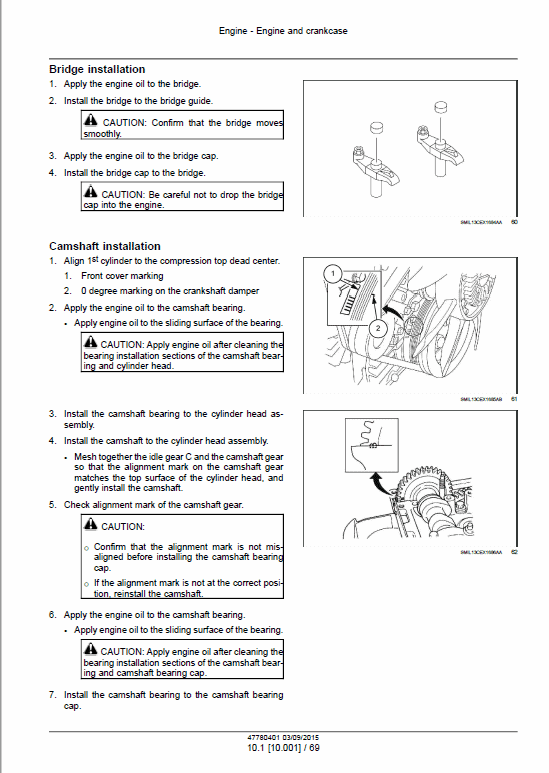
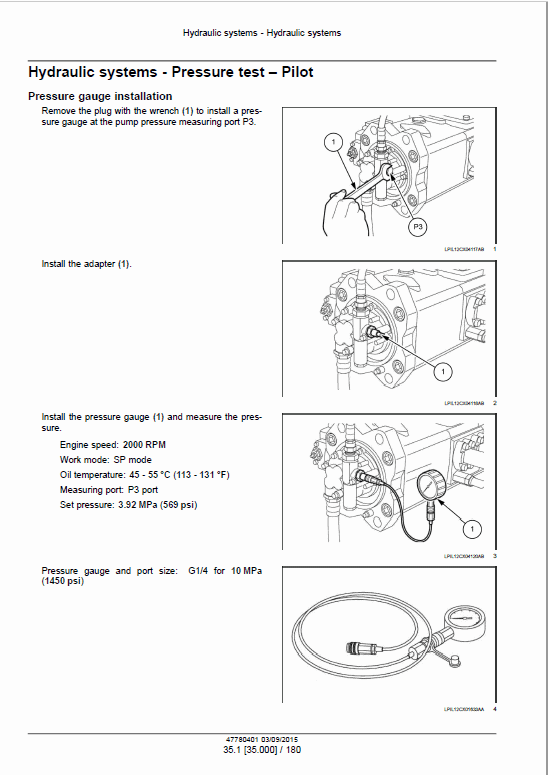
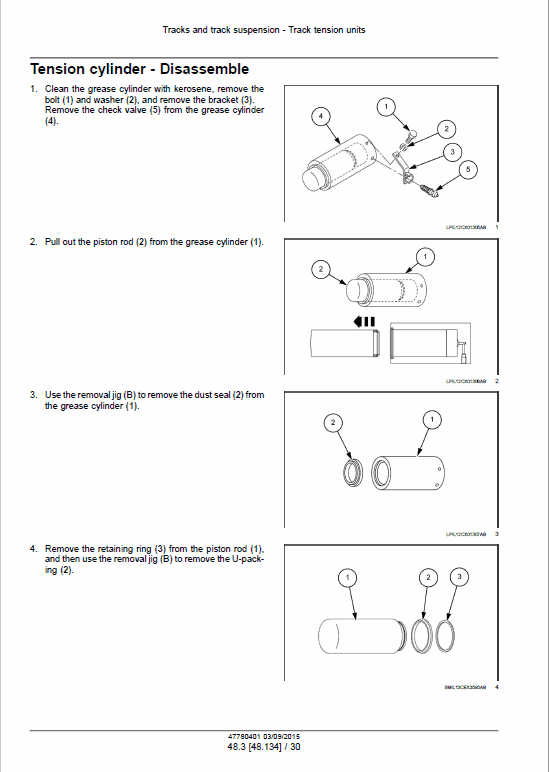
For Case CX250C Crawler Excavator, this reference brings together the listed repair manual material. Start with Engine and follow the relevant document section for the task.
What’s Covered Inside
Manuals: Service Manual
Introduction
Engine
Hydraulics System
Frames and Ballasting
Tracks and Track Suspension
Cab Climate Control
Electrical System
Booms, dippers and buckets
Dozer Blade and Arm
Platform, cab, bodywork and decals
Special Tools Index
Hydraulic Schematics
Electrical Schematics
Manual Extract: Using Non-OEM parts
All the OBD system checks are adjusted to operate with the genuine parts.
Therefore, when a commercially sold sensor or switch, etc. is installed, a wrong diagnosis is made, and the monitor comes On.
Accordingly, if general commercially-available sensors or switches are installed, this will cause mistakes in diagnosis and the monitor to show an abnormality display.
If a commercially-available electronic device such as a mobile phone, stereo or anti-theft device is inappropriately installed, an EMI may be emitted to the control system.
As the result, false sensor information is generated causing the monitor to come on.
When conducting a trouble diagnoses, either turn “OFF” the power for all commercially sold parts or remove them, and then check the failure again.
Many OBD system checks go into the backup operation mode based on the instruction from the ECM which is given when the ECM detects a failure in the related systems or components.
When the backup operation mode is activated, the output is reduced to protect the actual unit.
Trouble diagnosis
Basic knowledge of tools required
When performing the diagnostic procedure, lack of basic knowledge regarding this powertrain could result in an incorrect diagnosis or damage to the powertrain components.
Do not attempt to diagnose a problem related to the powertrain without having the basic knowledge.
A basic understanding of hand tools, such as the trouble diagnosis scan tools, is required to utilize the service manual effectively.
Introduction
Engine
Hydraulics System
Frames and Ballasting
Tracks and Track Suspension
Cab Climate Control
Electrical System
Booms, dippers and buckets
Dozer Blade and Arm
Platform, cab, bodywork and decals
Special Tools Index
Hydraulic Schematics
Electrical Schematics
Manual Extract: Using Non-OEM parts
All the OBD system checks are adjusted to operate with the genuine parts.
Therefore, when a commercially sold sensor or switch, etc. is installed, a wrong diagnosis is made, and the monitor comes On.
Accordingly, if general commercially-available sensors or switches are installed, this will cause mistakes in diagnosis and the monitor to show an abnormality display.
If a commercially-available electronic device such as a mobile phone, stereo or anti-theft device is inappropriately installed, an EMI may be emitted to the control system.
As the result, false sensor information is generated causing the monitor to come on.
When conducting a trouble diagnoses, either turn “OFF” the power for all commercially sold parts or remove them, and then check the failure again.
Many OBD system checks go into the backup operation mode based on the instruction from the ECM which is given when the ECM detects a failure in the related systems or components.
When the backup operation mode is activated, the output is reduced to protect the actual unit.
Trouble diagnosis
Basic knowledge of tools required
When performing the diagnostic procedure, lack of basic knowledge regarding this powertrain could result in an incorrect diagnosis or damage to the powertrain components.
Do not attempt to diagnose a problem related to the powertrain without having the basic knowledge.
A basic understanding of hand tools, such as the trouble diagnosis scan tools, is required to utilize the service manual effectively.
Use publication 47780401 (Sep 2015) & 48008120 with the CX250C model details to select the appropriate documentation. Refer to Engine within its stated document and equipment scope.


Reviews
There are no reviews yet.